
Chapter 1
Introduction of python programing
Python programming refers to the act of writing code using the Python programming language. Python is a high-level, general-purpose, and versatile language known for its readability and ease of use, making it popular for beginners and experienced developers alike.
Python is a popular programming language. It was created by Guido van Rossum, and released in 1991.
Key characteristics of Python:
Interpreted: Python code is executed line by line by an interpreter, allowing for rapid prototyping and testing.
High-level: It abstracts away low-level details of computer hardware, allowing developers to focus on problem-solving.
Object-oriented: Python supports object-oriented programming (OOP) paradigms, enabling modular and reusable code.
Dynamic typing: Variables do not require explicit type declarations.
Extensive standard library: Python comes with a rich set of modules and functions for various tasks, reducing the need to write code from scratch.
Cross-platform: Python runs on various operating systems, including Windows, macOS, and Linux.
Applications of Python:
Python can be used on a server to create web applications.
Python can be used alongside software to create workflows.
Python can connect to database systems. It can also read and modify files.
Python can be used to handle big data and perform complex mathematics.
Python can be used for rapid prototyping, or for production-ready software development.
The most recent major version of Python is Python 3.Python will be written in a text editor. It is possible to write Python in an Integrated Development Environment, such as Thonny, Pycharm, Netbeans or Eclipse which are particularly useful when managing larger collections of Python files.
Python Syntax
Python was designed for readability, and has some similarities to the English language with influence from mathematics.
Python uses new lines to complete a command, as opposed to other programming languages which often use semicolons or parentheses.
Python relies on indentation, using whitespace, to define scope; such as the scope of loops, functions and classes. Other programming languages often use curly-brackets for this purpose.
Example of basic Python code
# This is a comment
name = "World"
print(f"Hello, {name}!")
Python Install
To check if you have python installed on a Windows PC, search in the start bar for Python or run the following on the Command Line (cmd.exe):

To check if you have python installed on a Linux or Mac, then on linux open the command line or on Mac open the Terminal and type:

If you find that you do not have Python installed on your computer, then you can download it for free from the following website: https://www.python.org/ you will see website for download as bellow

Click download
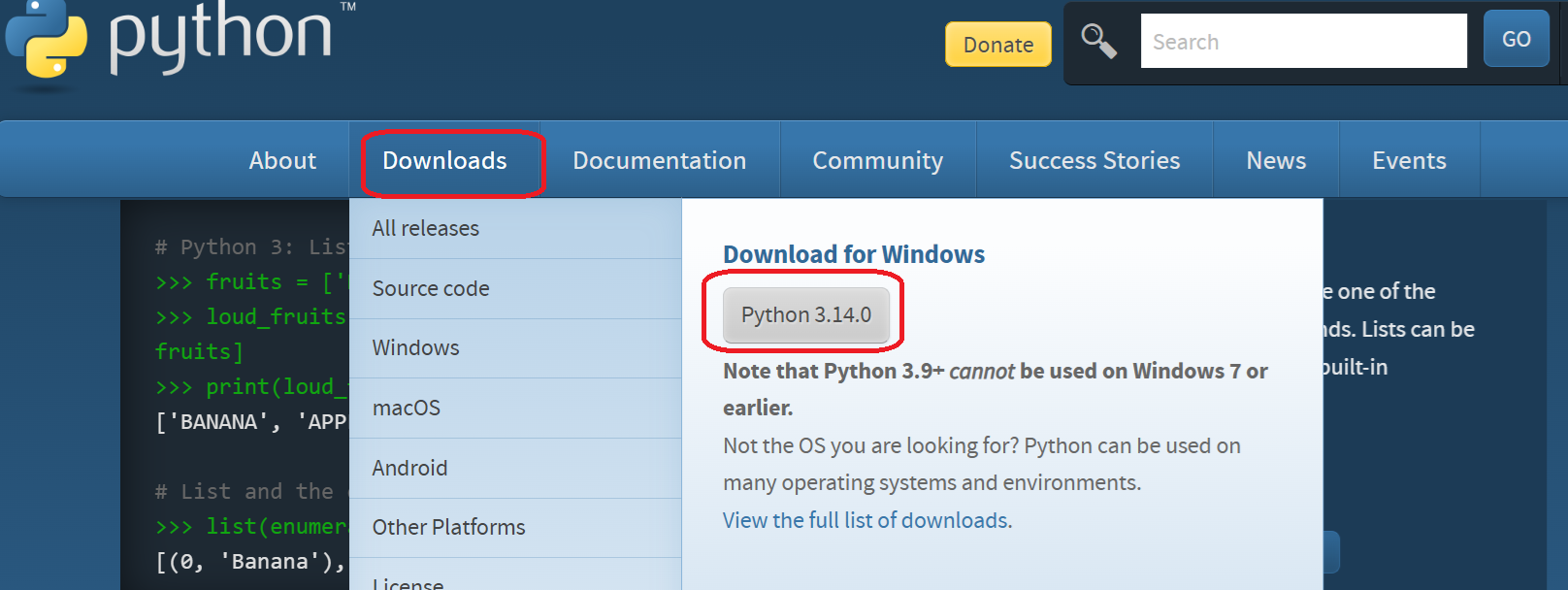
we will see in this figure bellow

To install python interpreter please follow this instruction step by step
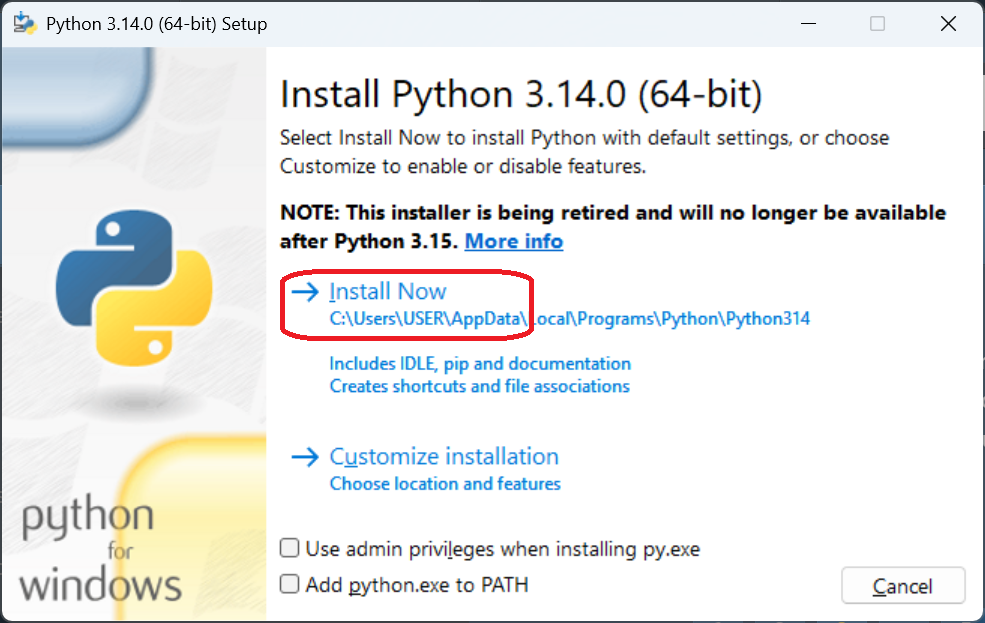
and then
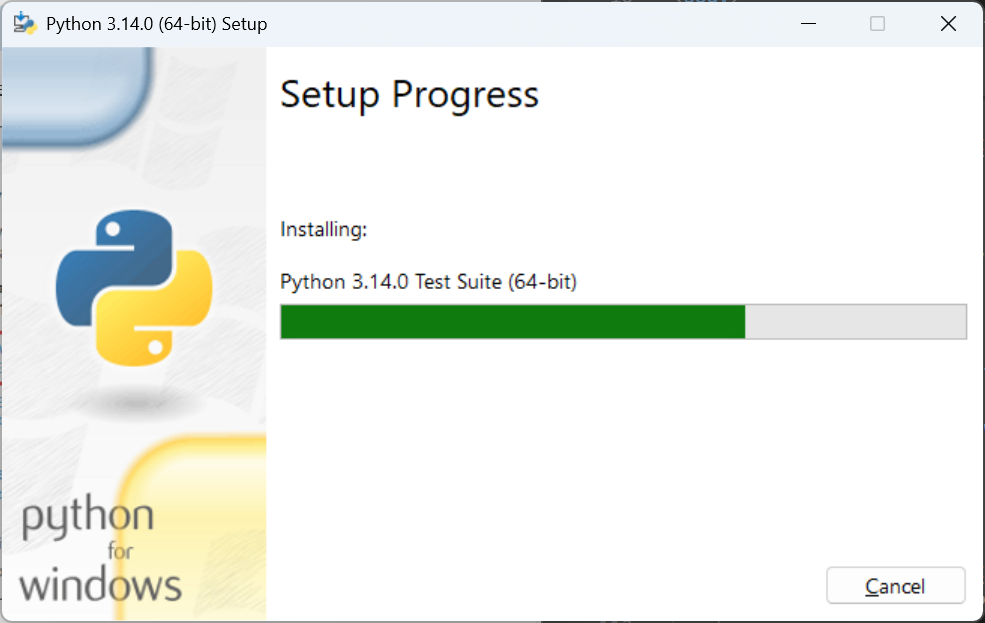
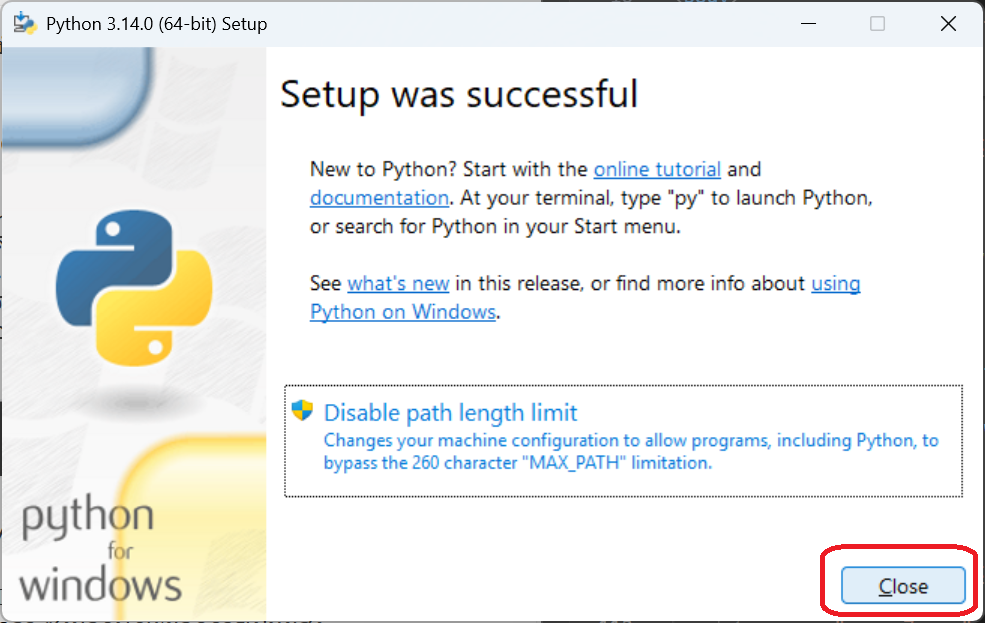
Type python in the search of window you will see IDE(Python 3.14) program. Click it to open IDLE program
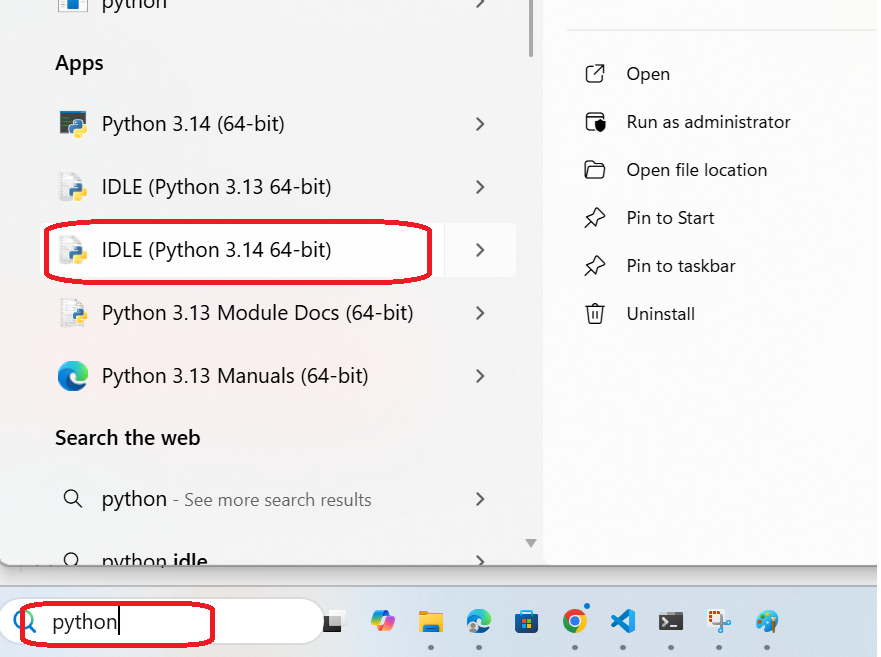
and we will see this figure
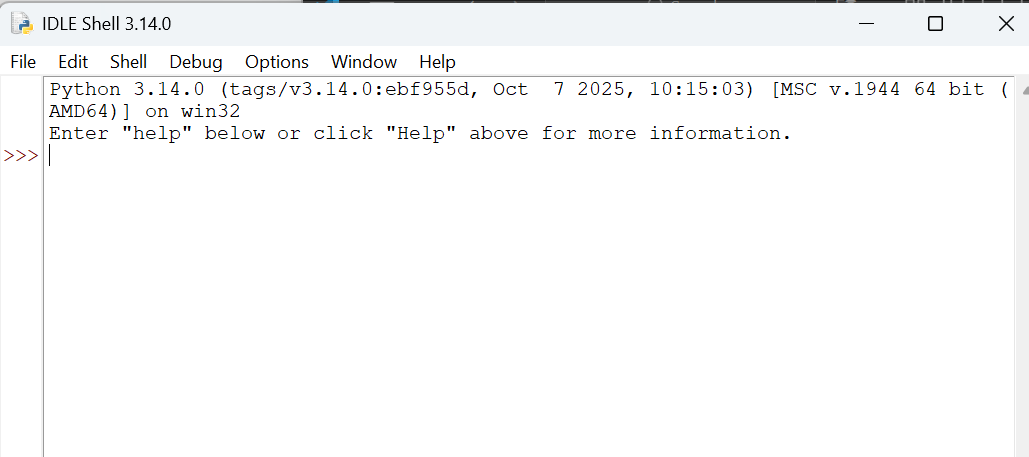
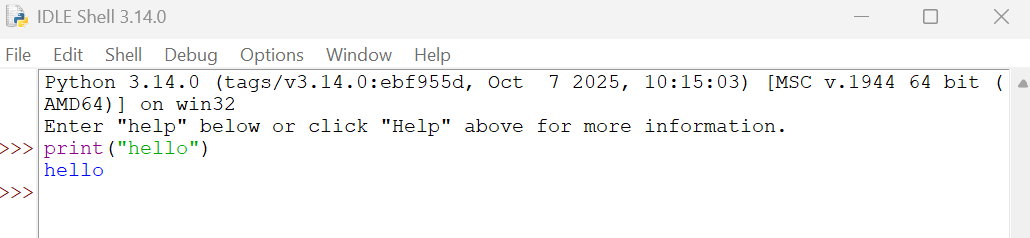
From there you can write any python code, such as print("hello")example and enter. python will integrated and show result of a code
or you can use math to calculate of any number. it ca integrated and show result of command

A Python script with multi python command and can make a file
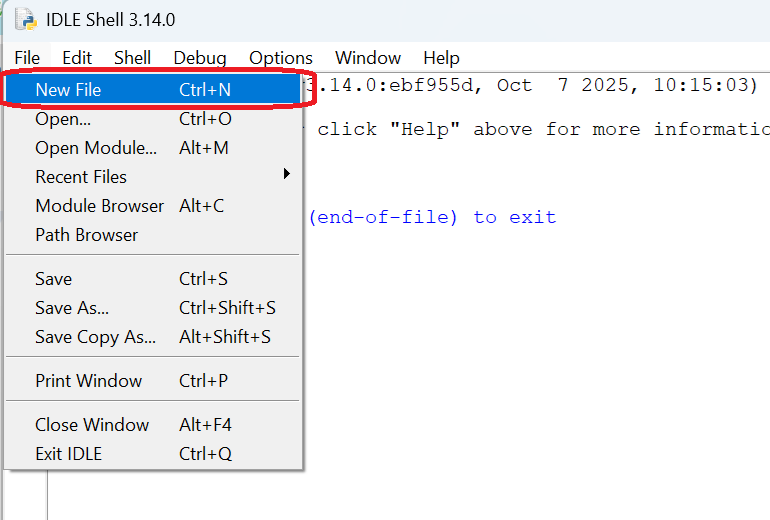
Write a python script
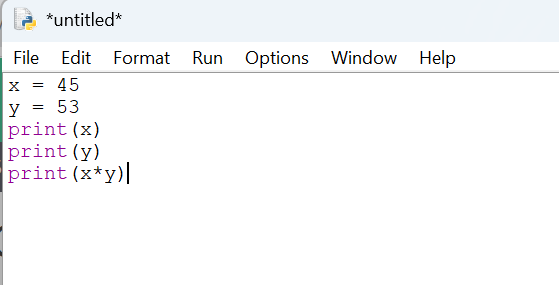
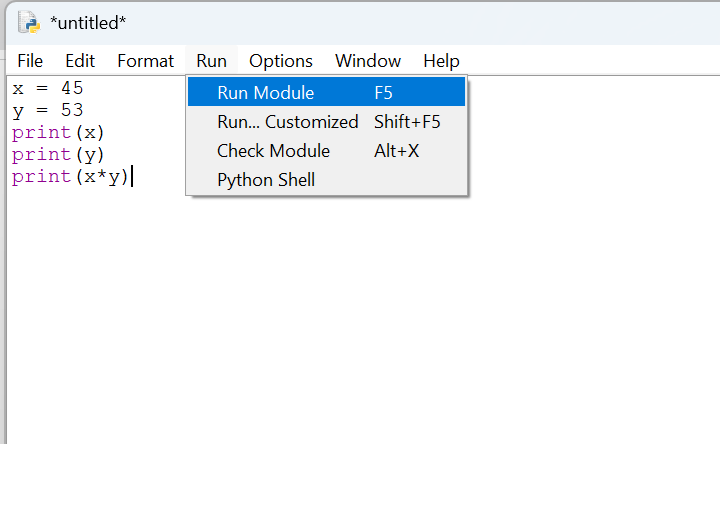
To Run
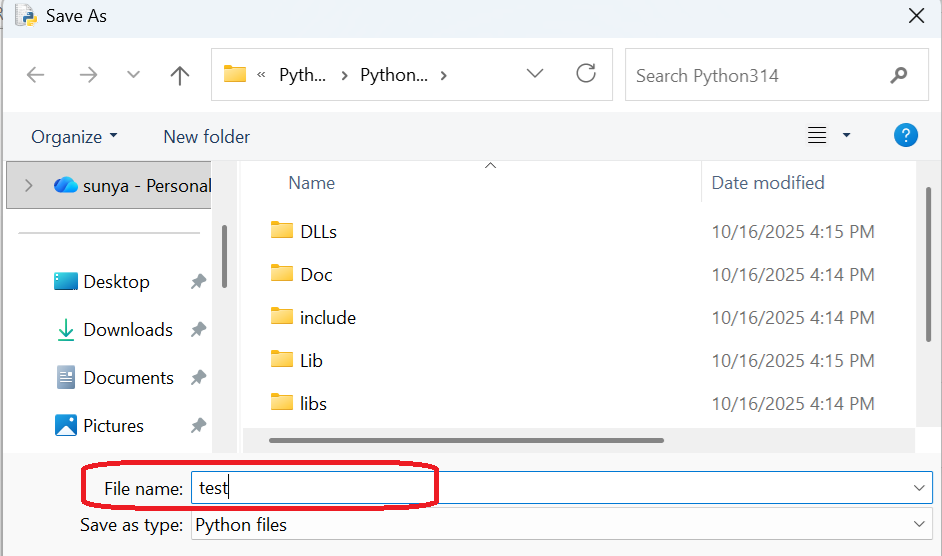
Save to file.py before
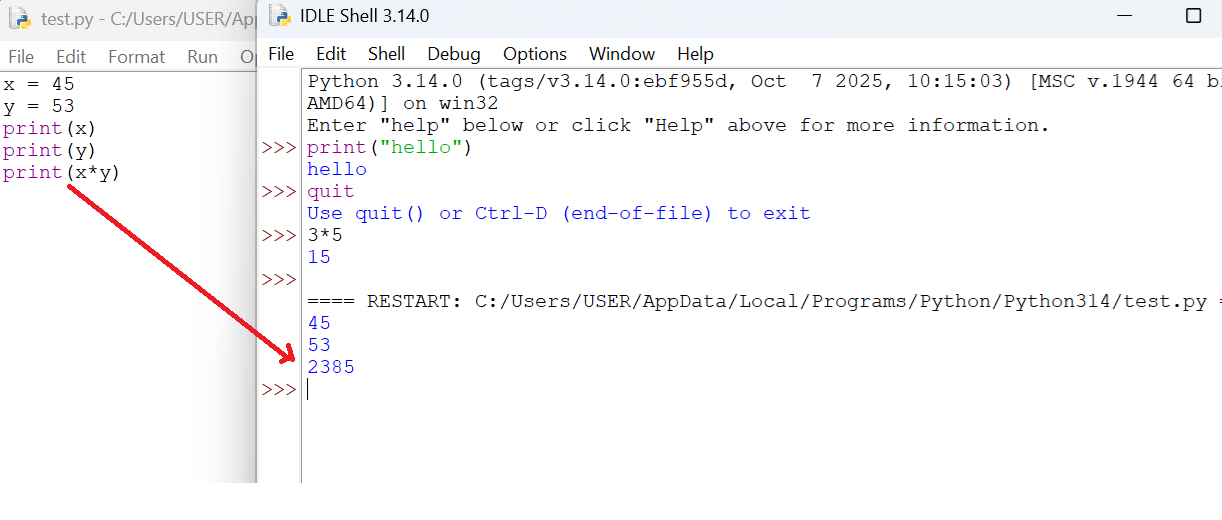
Result of script
Python Syntax
Python Indentation
Indentation refers to the spaces at the beginning of a code line. Where in other programming languages the indentation in code is for readability only, the indentation in Python is very important. Python uses indentation to indicate a block of code.statements belong to a particular function, loop, conditional statement, or class.
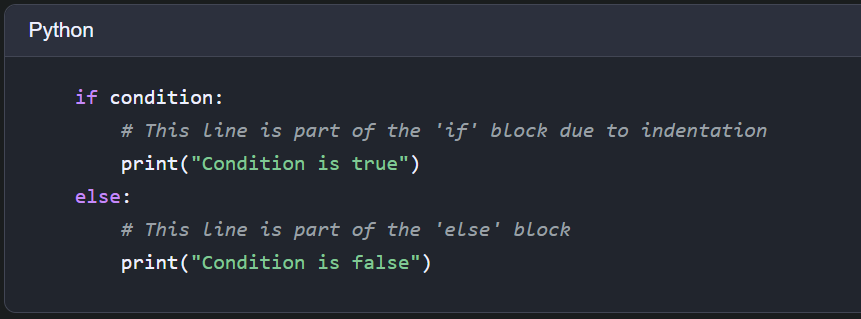
Python will give you an error if you skip the indentation:
The number of spaces is up to you as a programmer, the most common use is four, but it has to be at least one.
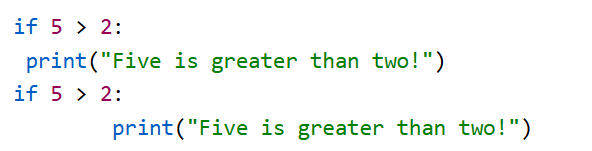
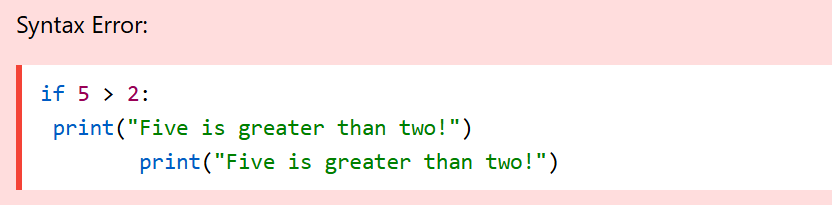
You have to use the same number of spaces in the same block of code, otherwise Python will give you an error:
Python Statements
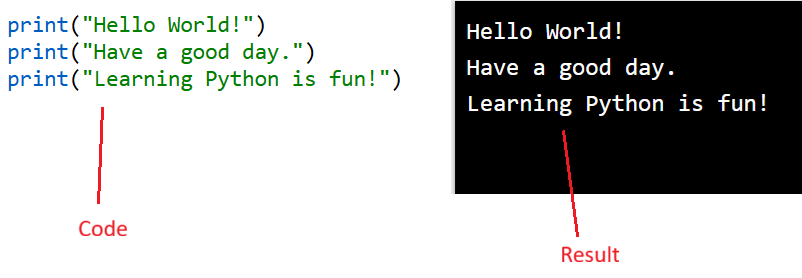
In a programming language, these programming instructions are called statements.
In Python, a statement usually ends when the line ends. You do not need to use a semicolon (;) like in many other programming languages (for example, Java or C).
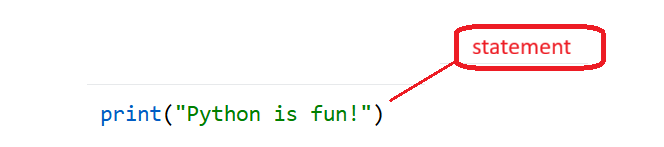
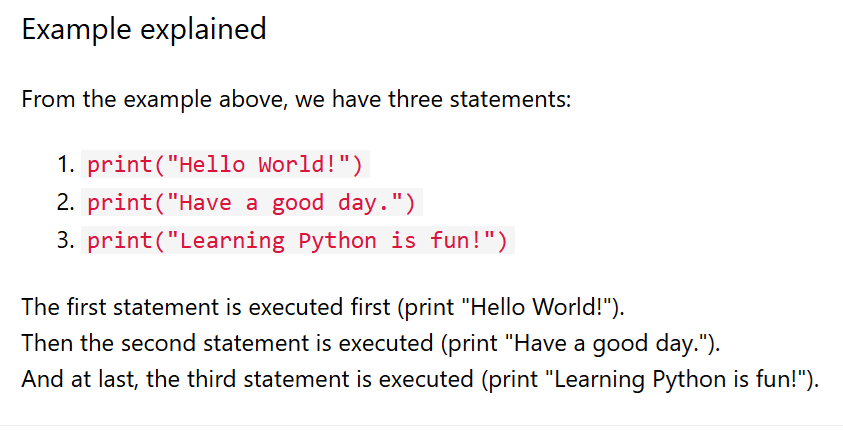
Most Python programs contain many statements. The statements are executed one by one, in the same order as they are written:
Python Comments
Comments can be used to explain Python code.
Comments can be used to make the code more readable.
Comments can be used to prevent execution when testing code.
Creating a Comment
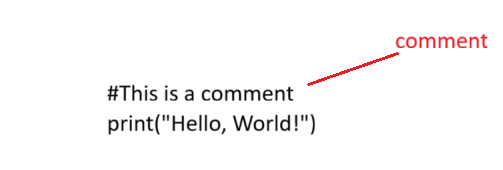
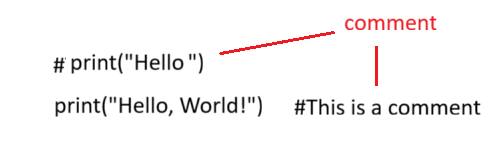
Comments starts with a #, and Python will ignore them:
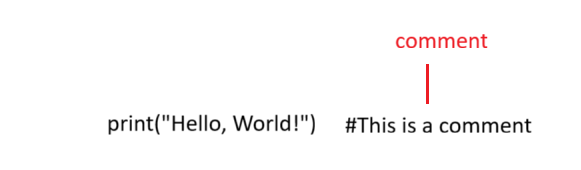
Comments can be placed at the end of a line, and Python will ignore the rest of the line:
Creating a Comment
A comment does not have to be text that explains the code, it can also be used to prevent Python from executing code:
Multiline Comments
Python does not really have a syntax for multiline comments. To add a multiline comment you could insert a # for each line: Since Python will ignore string literals that are not assigned to a variable, you can add a multiline string (triple quotes) in your code, and place your comment inside it:
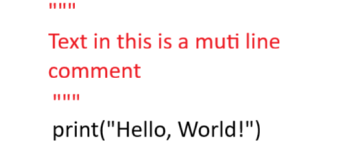
As long as the string is not assigned to a variable, Python will read the code, but then ignore it, and you have made a multiline comment.
https://www.w3schools.com/python/python_strings.asp https://www.geeksforgeeks.org/python/introduction-to-python/