
Chapter 5
Conditional Statements in Python
In this course, we'll focus on understanding the purpose of conditional statements, learn how they enable decision-making in programming, and explore an example to see them in action.
A conditional statement allows your program to make decisions by executing different blocks of code based on whether a specific condition is True or False. Click to Explain Think of it as answering a "yes or no" question in your code: "If this condition is true, do this."
Conditional statements in Python are used to execute certain blocks of code based on specific conditions.
https://www.geeksforgeeks.org/python/input-and-output-in-python/
If Conditional Statement
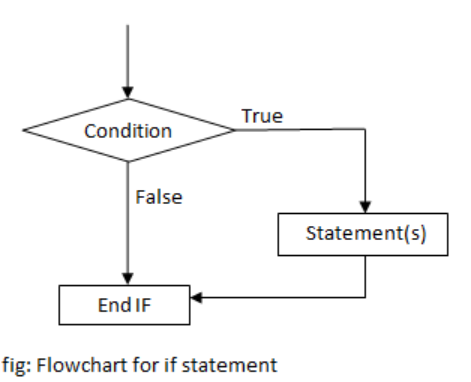
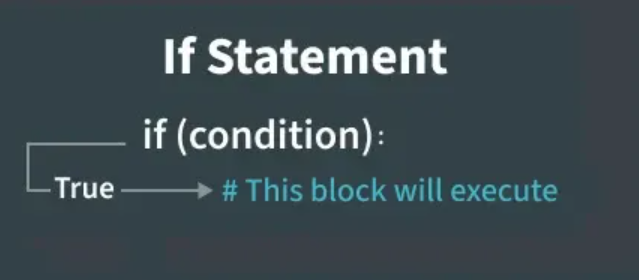
If statement is the simplest form of a conditional statement. The if statement evaluates a condition (an expression that results in True or False). It executes a block of code if the given condition is true. If the condition is false, the code block is skipped.
number = 15
if number > 0:
  print("The number is positive")
Indentation
Python relies on indentation (whitespace at the beginning of a line) to define scope in the code. Other programming languages often use curly-brackets for this purpose.
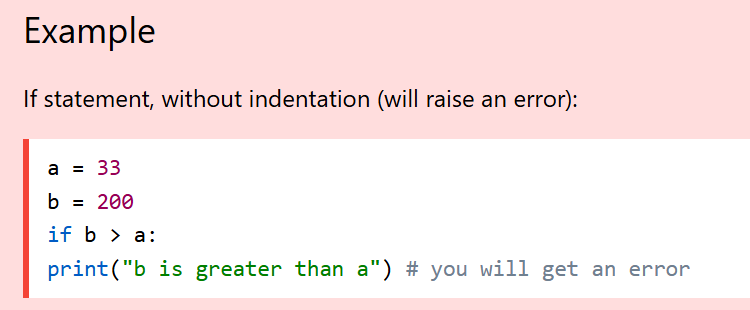
Note: You can use spaces or tabs for indentation, but you must use the same amount of indentation for all statements within the same code block.
https://www.w3schools.com/python/python_conditions.asp
Multiple Statements in If Block
You can have multiple statements inside an if block. All statements must be indented at the same level.
Example
age = 20
if age >= 18:
  print("You are an adult")
  print("You can vote")
  print("You have full legal rights")
Output

Python Conditions
1) Equals: a == b
2) Not Equals: a != b
3) Less than: a < b
4) Less than or equal to: a <= b
5) Greater than: a > b
6) Greater than or equal to: a >= b
These conditions can be used in several ways, most commonly in "if statements" and loops.
Python Else
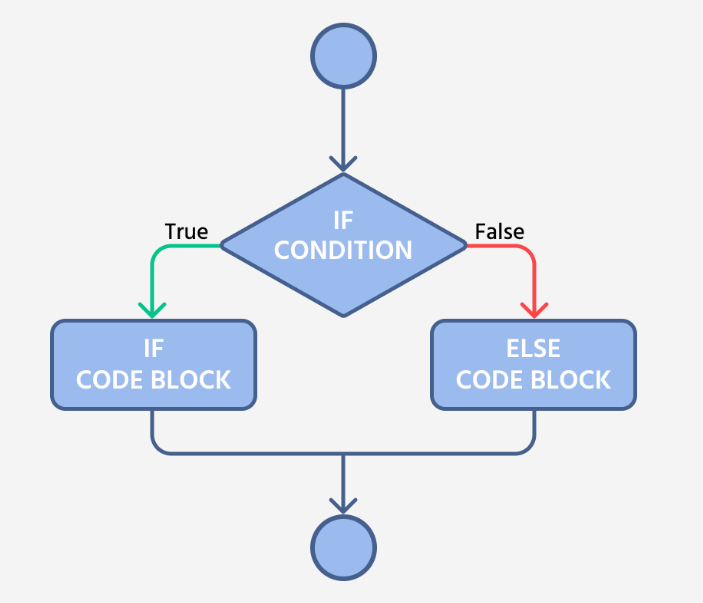
The else statement is executed when the if condition evaluate to False.
https://codefinity.com/courses/v2/9ac87b53-133a-4974-8f1d-a9761888723b/d2221740-6d48-4e63-9ccf-f4e29e85ac99/adb05487-9449-4c0a-89d4-f0045caeffa5
Example
a = 200
b = 33
if b > a:
  print("b is greater than a")
else:
  print("b is not greater than a")
Output

Python Elif Statement
The elif keyword allows you to check multiple expressions for True and execute a block of code as soon as one of the conditions evaluates to True
example
a = 33
b = 33
if b > a:
  print("b is greater than a")
elif a == b:
  print("a and b are equal")
Output

In this example a is equal to b, so the first condition is not true, but the elif condition is true, so we print to screen that "a and b are equal".
Multiple Elif Statements
You can have as many elif statements as you need. Python will check each condition in order and execute the first one that is true.
Example
score = 75

if score >= 90:
  print("Grade: A")
elif score >= 80:
  print("Grade: B")
elif score >= 70:
  print("Grade: C")
elif score >= 60:
  print("Grade: D")
In this example, the program checks each condition in order. Since score is 75, it prints "Grade: C" (the first condition that evaluates to true).
When to Use Elif Use elif when you have multiple mutually exclusive conditions to check. This is more efficient than using multiple separate if statements because Python stops checking once it finds a true condition.
day = 3

if day == 1:
  print("Monday")
elif day == 2:
  print("Tuesday")
elif day == 3:
  print("Wednesday")
elif day == 4:
  print("Thursday")
elif day == 5:
  print("Friday")
elif day == 6:
  print("Saturday")
elif day == 7:
  print("Sunday")
Assigment
Write a program that takes input in score and show result of grade.